Providence Healthcare · 2022–2025 · Senior UX Designer
Built a Help ecosystem from scratch for a financial analytics platform used across one of the largest healthcare systems in the country, turning a tool that users found frustrating and opaque into one they felt confident navigating independently.
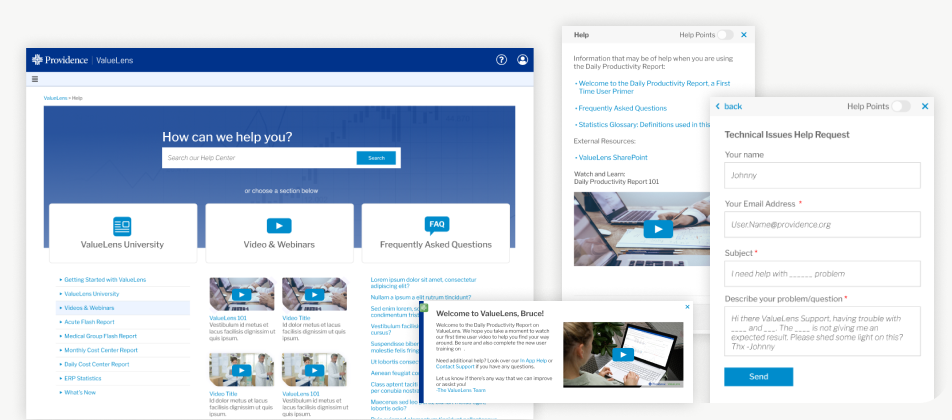
ValueLens is a financial reporting platform used by healthcare finance professionals across Providence Health. As the platform grew, so did the support burden. Users couldn't find answers on their own, onboarding new cohorts required heavy involvement from product and dev teams, and analysts were spending time being confused instead of doing their jobs.
I was brought in to research, design, test, and launch a complete Help ecosystem. The result was a suite of interconnected tools: a searchable Help Center, a context-aware sidebar, inline tooltips, first-time user onboarding modals, a Financial Definitions Library, and a headless CMS. Together they gave users everything they needed to help themselves.
Users needed help, but the system couldn't help them. Interviews revealed several critical issues:
The result: slow onboarding, repeated support tickets, and frustration among high-value financial analysts.
I led the end-to-end UX effort, from user interviews and contextual inquiry through information architecture, wireframes, prototypes, usability testing, and systems design. I also led CMS research and implementation guidance, and drove iterative improvements based on ongoing user feedback.
I started with deep discovery sessions with ValueLens power users, financial analysts, and reporting experts to uncover what "help" looks like in tools they enjoy, where they get stuck in ValueLens, their mental models for financial definitions, and what they expect during onboarding. Those insights shaped a holistic, interconnected help system built across six components.
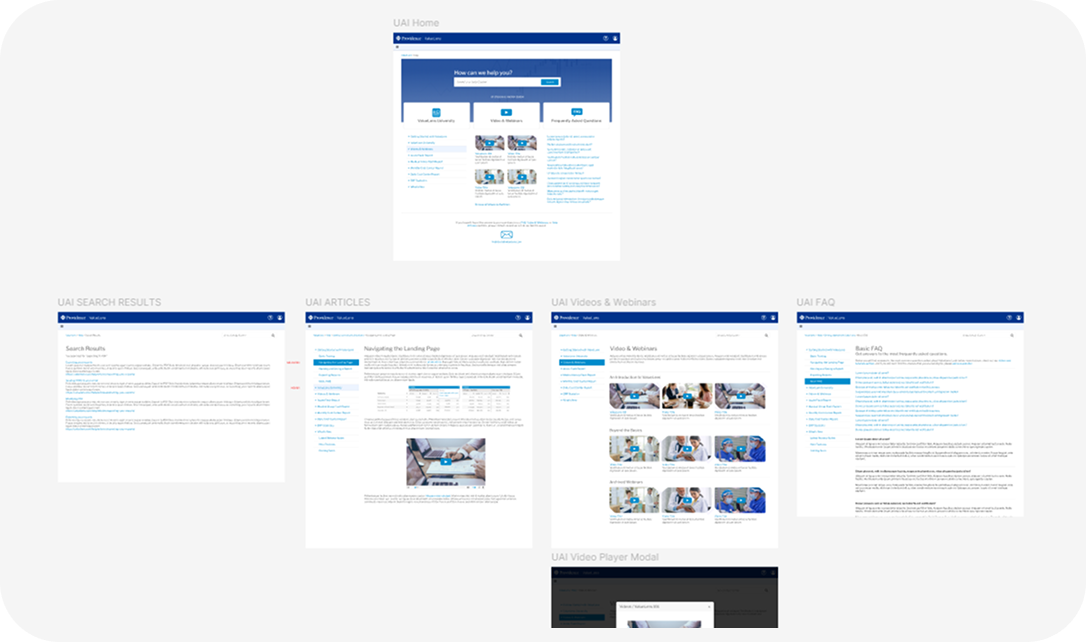
Designed a structured, searchable Help Center available from all pages, containing how-to guides, report workflows, troubleshooting steps, feature walkthroughs, terminology, and video content. Built on a CMS that scales easily as the product grows and is simple for content managers to update and tag to specific areas of the platform.
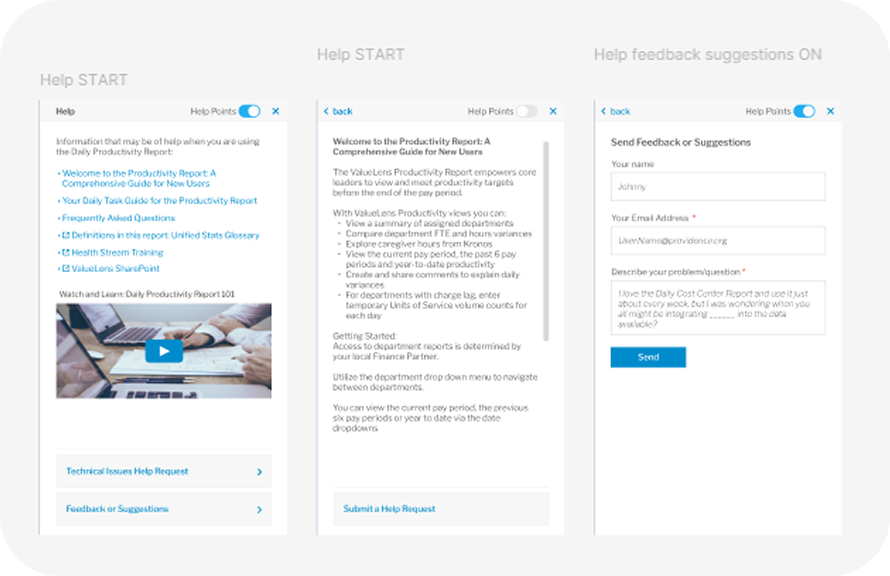
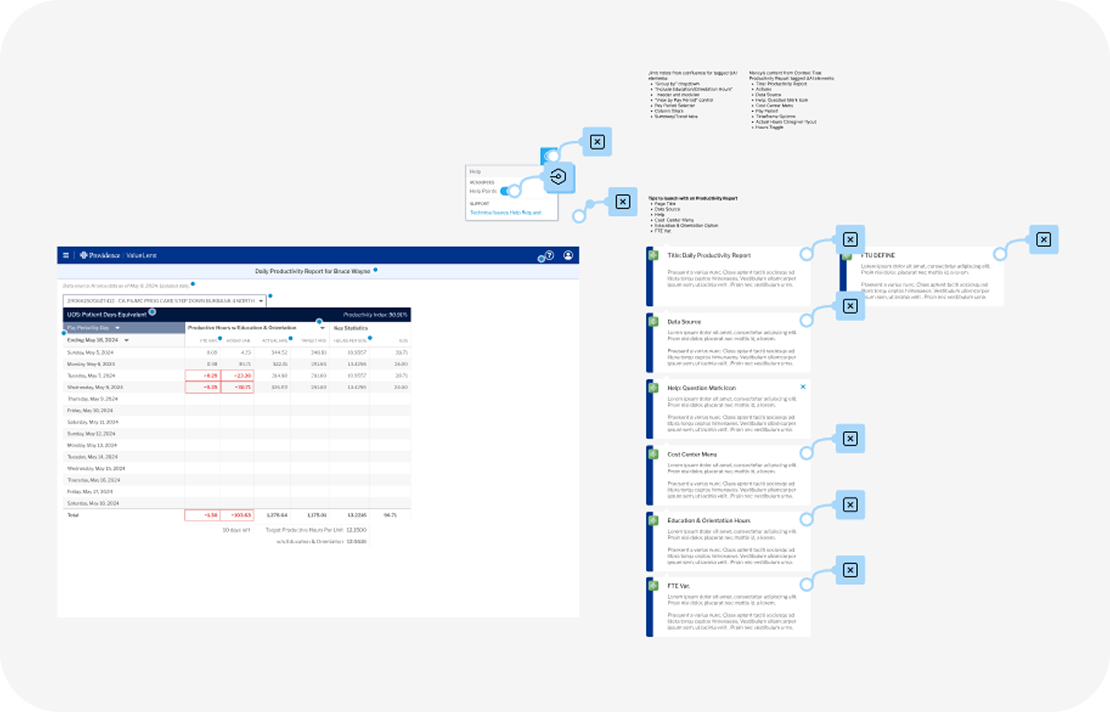
Created an inline micro-explanation tooltip feature called Help Points, embedded directly in the interface. These explained calculations, filters, metrics, and terminology specific to the ValueLens platform, designed for quick scanning and reducing onboarding time by removing guesswork at the moment of confusion.
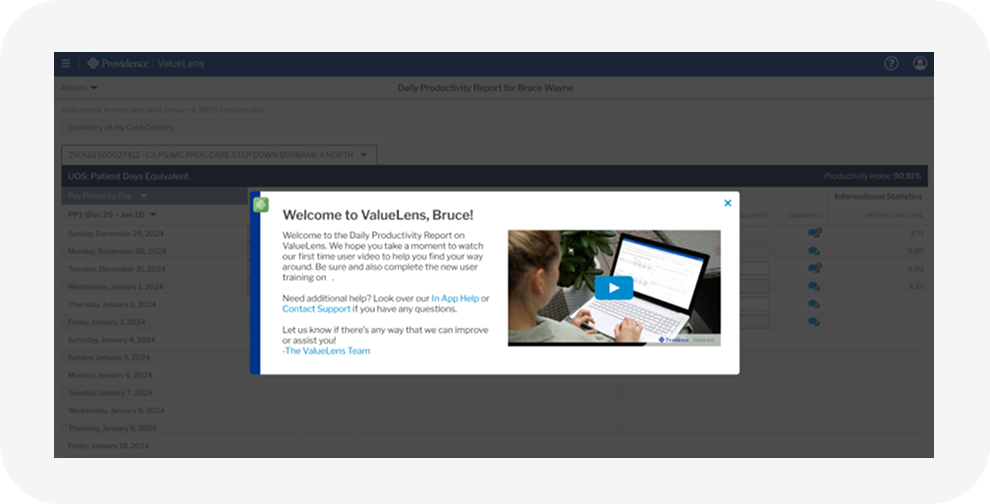
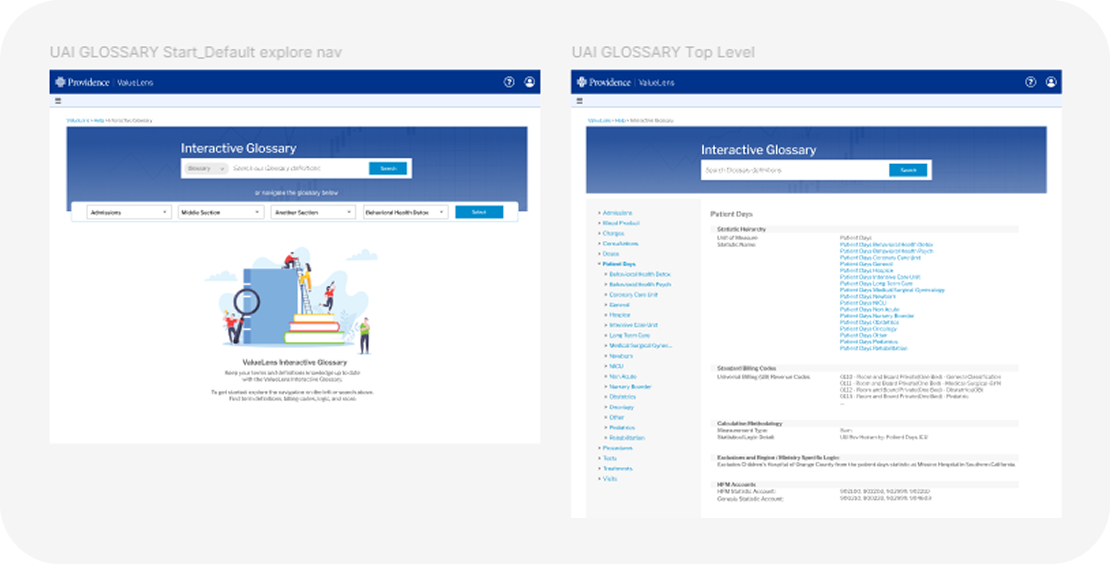
Integrated a library of finance and clinical terminology used in ValueLens directly into the tool, pulled from trusted internal data sources. Replaced static PDF lists that users complained about or simply didn't know existed, making critical definitions findable in context, exactly when needed.
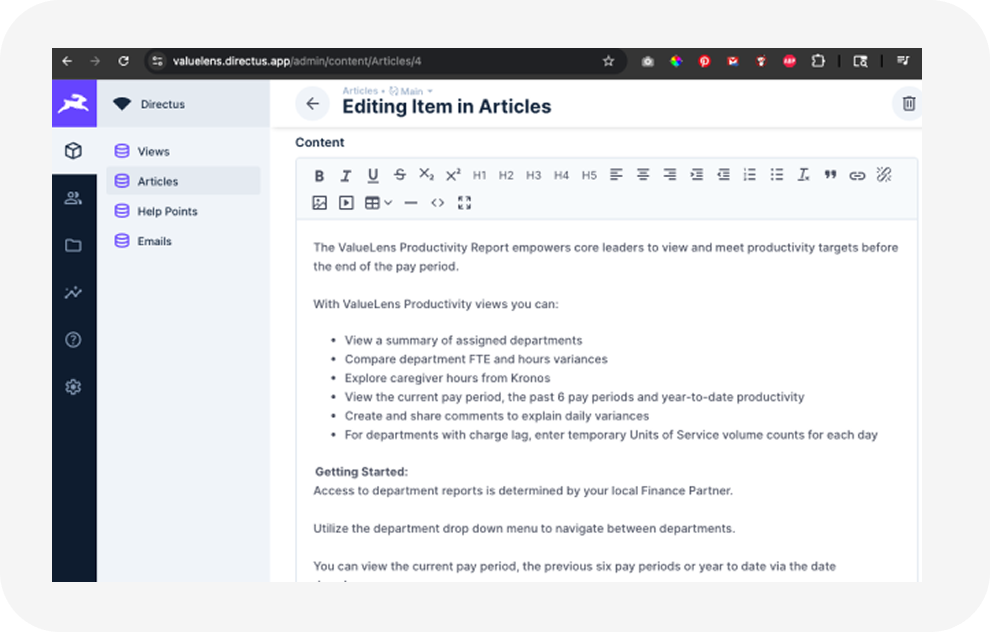
The ValueLens Help system became more than documentation. It became a teaching tool, a structured knowledge base, and an onboarding engine that transformed the platform from powerful-but-confusing into something users felt genuinely confident navigating. The architecture was built to scale long after my engagement ended.