
home : case study
Providence Healthcare / ValueLens Help
Designed a user-centered help experience for Providence Healthcare's financial analytics platform.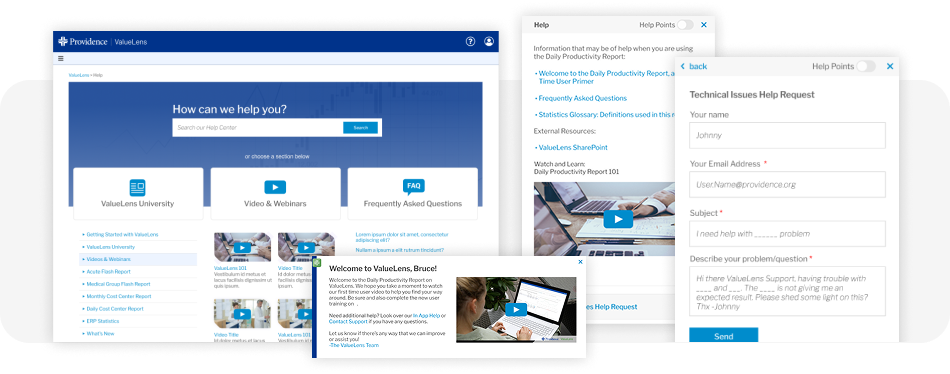
Overview
ValueLens is a financial reporting system used by healthcare finance professionals across Providence. As the platform grew, users struggled to find answers, understand terminology, and onboard efficiently. I was brought in to research, design, test, and launch a complete Help ecosystem that empowered users to learn the tool, solve problems independently, and work with greater confidence.The Challenge
Users needed help, but the system couldn’t help them. Interviews revealed several critical issues:- No centralized Help Center or searchable knowledge base
- Help content scattered across PDFs, email threads, external websites, and tribal knowledge
- First-time users struggled to understand core concepts and financial terminology
- Training required heavy support from product + dev teams
- All existing help content required developers to manually update text
My Role
I led the end-to-end UX effort:- User interviews & contextual inquiry
- Competitive + comparative analysis
- Information architecture
- Wireframes & prototypes (Figma)
- Usability testing
- Systems design for Help components
- CMS research and implementation guidance
- Iterative improvements based on user feedback
My Approach
Deep Discovery with Financial AnalystsI interviewed ValueLens power users, financial analysts, and reporting experts to uncover:
- What “help” looks like in tools they enjoy
- Where they get stuck in ValueLens
- Their mental models for financial definitions and calculations
- What they expect during onboarding
Help Center
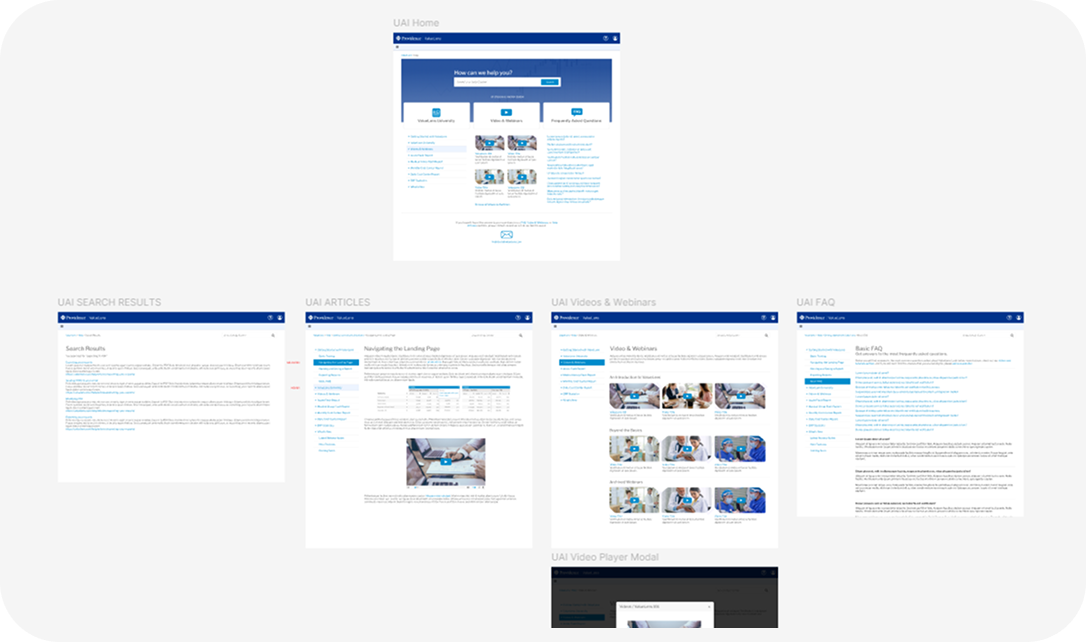
Designed a structured searchable Help Center available from all pages that contained how to guides, report workflows, troubleshooting steps, feature walkthroughs, terminologies, and other helpful videos. Built on an easily accessible content management system that scales easily as the product grows and simple for content managers to add in new content and tag to use areas as needed.
Designed a structured searchable Help Center available from all pages that contained how to guides, report workflows, troubleshooting steps, feature walkthroughs, terminologies, and other helpful videos. Built on an easily accessible content management system that scales easily as the product grows and simple for content managers to add in new content and tag to use areas as needed.
On-Report Help Sidebar
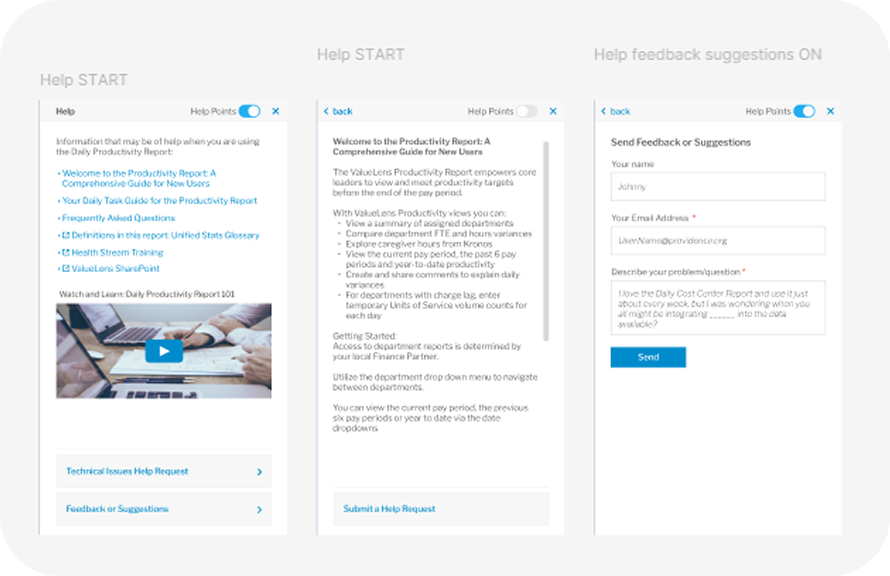
Designed and built a persistent context-aware sidebar that follows users across all reports. The sidebar gave the user the ability to turn on/off overlayed Help content (Help Points), quick access to deep articles specific to the area of the software that the user was currently viewing, and surfaced the ability to submit tickets and feedback directly to the product team.
Help Points (Tooltips)
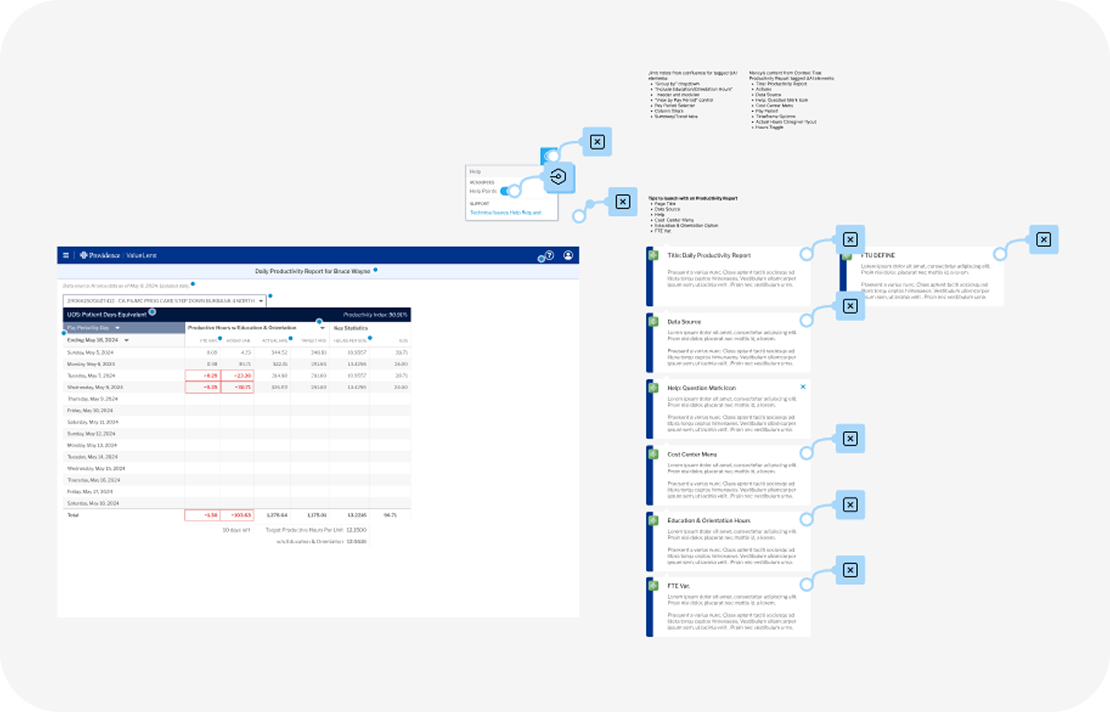
Created an inline micro explanation tool tips feature into the interface named "Help Points". These Help Points explained calculations/filters/metrics and other terminologies specific to the ValueLens platform. They were designed for quick scanning and reducing onboarding time by removing guesswork.
First Time User Experience (FTUE)
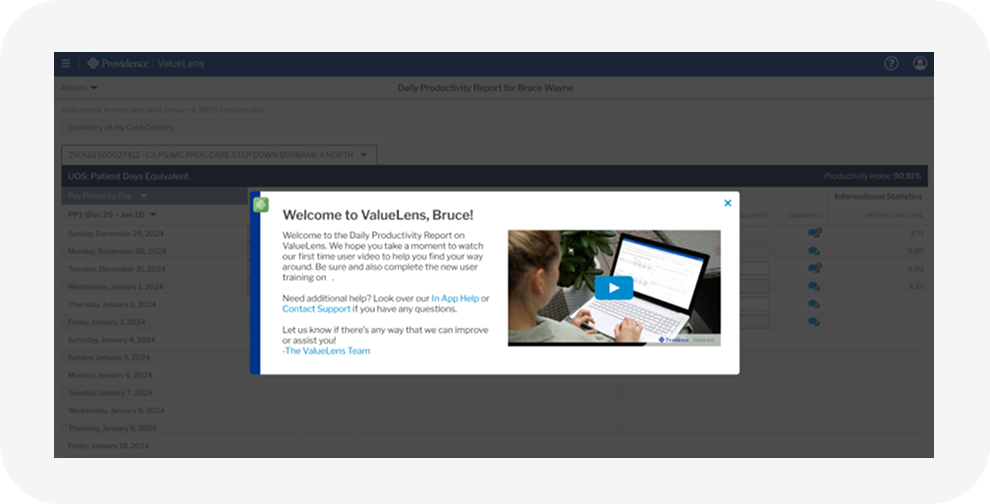
Built a series of new user modals triggered by the first time loading a report on ValueLens. They included welcome information, a video, links to interactive page tours, and other links to helpful information specific to the report loaded by the user. A custom guided onboarding modal aimed to help ease the way of new users as they journeyed into a new data rich reporting tool.
Financial Definitions Library
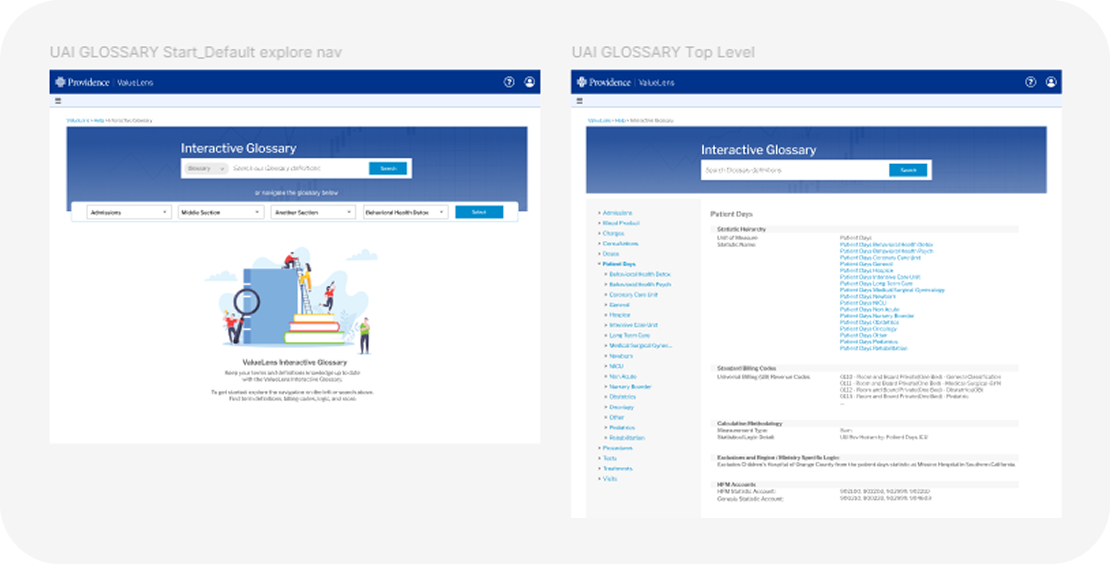
Integrated a library of finance and clinical terminology used in ValueLens directly into the tool. A crucial addition for analysts pulled directly from trusted internal data sources. Replaced static PDF lists that users complained about and was often times difficult for the users to find or they simply did not even know of it's existence.
Rapid Content Creation via Headless CMS
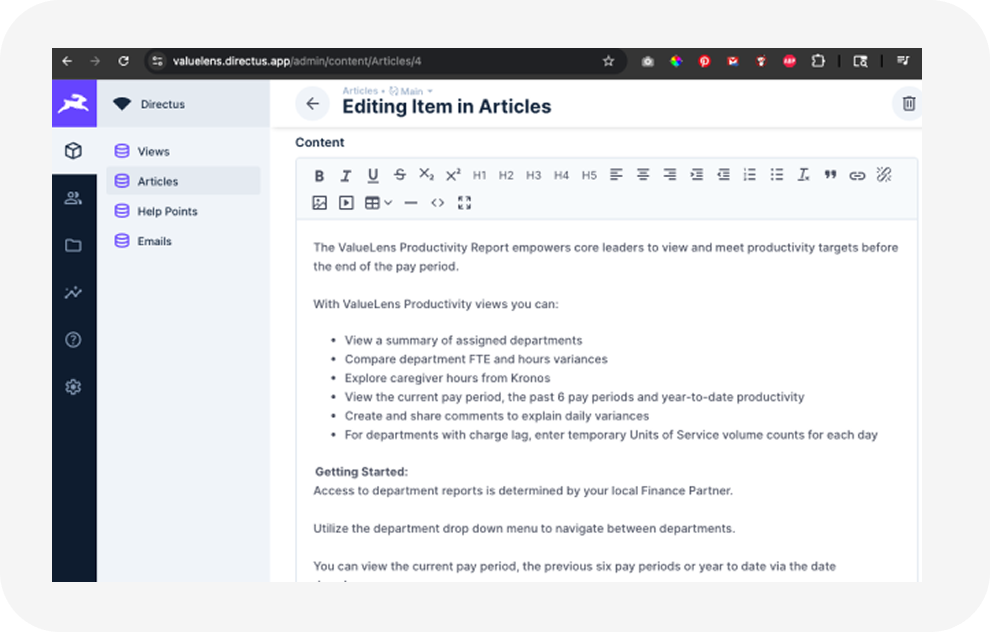
To empower non-technical content creators I evaluated CMS options and led the adoption and integration of a headless CMS solution that was approved via Providence for internal use. This enabled instant real-time editing of content without dev involvement, faster creation of help articles, instant addition of video and audio and other files, as well as version control and content staging. This software addition and integration removed a major bottleneck and saved the dev team dozens of hours per month.
Summary
OutcomesAfter launching the new Help ecosystem, follow-up surveys and usage data showed:
- Higher user satisfaction: NPS increased among reporting analysts
- Faster onboarding: Users reported "getting up to speed" more quickly
- Greater self-service: Fewer basic support questions were routed to product/dev teams
- Higher engagement across Help features: Sidebar, tooltips, and FTUE were among the most used components
- Improved content velocity: Non-dev teams created and maintained Help content independently
The ValueLens Help system became more than documentation it became a teaching tool, a structured knowledge base, and an onboarding engine. It helped transform ValueLens from a powerful data tool into a platform that users felt confident navigating.
My work established a scalable Help architecture that will continue supporting Providence analysts as ValueLens evolves.